Gemini just made Word optional: edit PDFs, docs and slides right in the chat
Gemini now opens the files it creates inside the conversation, where you can edit them by hand or highlight a part and have the AI redo it. Available to everyone.
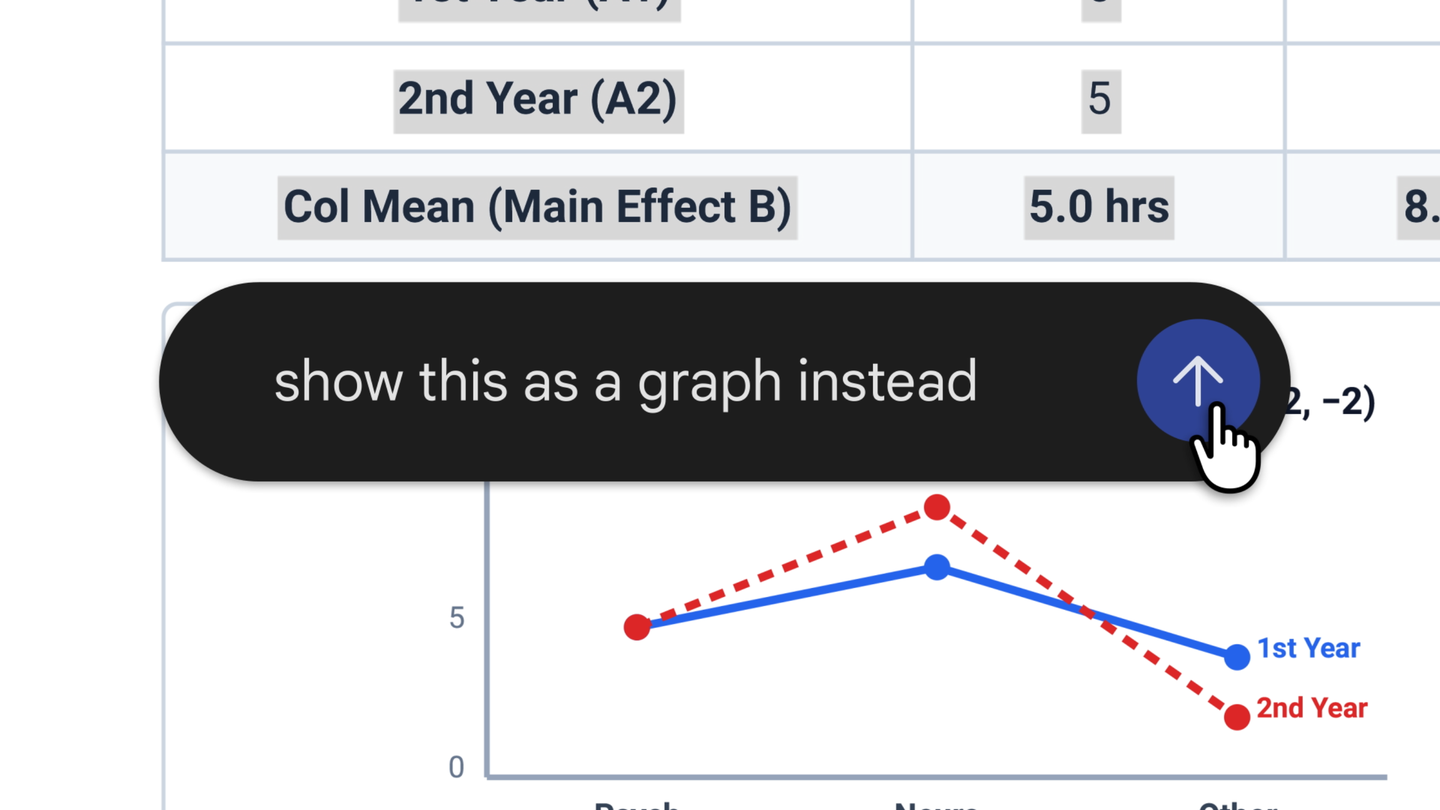
Google has taught Gemini to do more than hand you a file. Ask for a slide deck, a spreadsheet, a document or a PDF, and it now opens right inside the chat, where you can preview it, expand it to full screen and type your own edits like in a normal editor.
The best part is highlighting. Select a piece of text and ask what it means, or ask Gemini to rewrite just that part. Google says it can refine both the text and the visuals, for example turning a highlighted table into a chart.
Google's own demo shows the idea: upload photos of handwritten lecture notes and Gemini turns them into a PDF study guide. You can then edit it by hand or fix specific spots by highlighting them.
Slides work the same way. Gemini drafts the outline and the slides, shows the layout in the chat, adjusts tone and structure on request, and then lets you open the result in Google Slides or download it as PPTX or PDF. Trackers and tables come out of a single prompt and open in Google Sheets, and documents and PDFs can go straight to Drive.
There is a catch. PDF preview and editing work on the web and in the mobile app, while Google Docs, Sheets, slides, Markdown, TXT and code are web only for now.
The feature launched on the evening of October 29 and is already available to every Gemini user in every language the app supports, including regular personal Google accounts. Gemini could generate files before, but editing them meant leaving for another app. Anthropic shipped something similar in Claude earlier, so Google is catching up, but with a big advantage: Docs, Sheets and Slides are its own.
Bottom line: for drafts, study notes and quick decks, you no longer need to open a separate editor.
 Tools
Tools Tools
Tools Tools
Tools